


Reactivate Your Deactivated Facebook Account: A Complete Guide
In today’s digital age, social media platforms like Facebook have become an integral part of our lives. Facebook allows us to connect with friends, share memories, and find communities. However, many users find themselves in a difficult situation when their Facebook account gets deactivated. If you’re one of these users, don’t worry! In this article, we’ll guide you step-by-step on how to reactivate your deactivated Facebook account.
Understanding Account Deactivation
Account deactivation can occur for various reasons. Sometimes users inadvertently violate Facebook’s community standards, while at other times accounts may be deactivated due to security concerns. Here are some common reasons why your account may be deactivated:
- Violation of Facebook’s community standards.
- Suspicious activity detected by Facebook.
- Reported by other users.
- Failure to verify identity when requested.
Getting Started: Access Recovery
The first step in recovering a deactivated Facebook account is to determine the type of deactivation: temporary or permanent. If your account is temporarily deactivated, you should be able to reactivate it easily. Follow these steps:
Step 1: Try Logging In
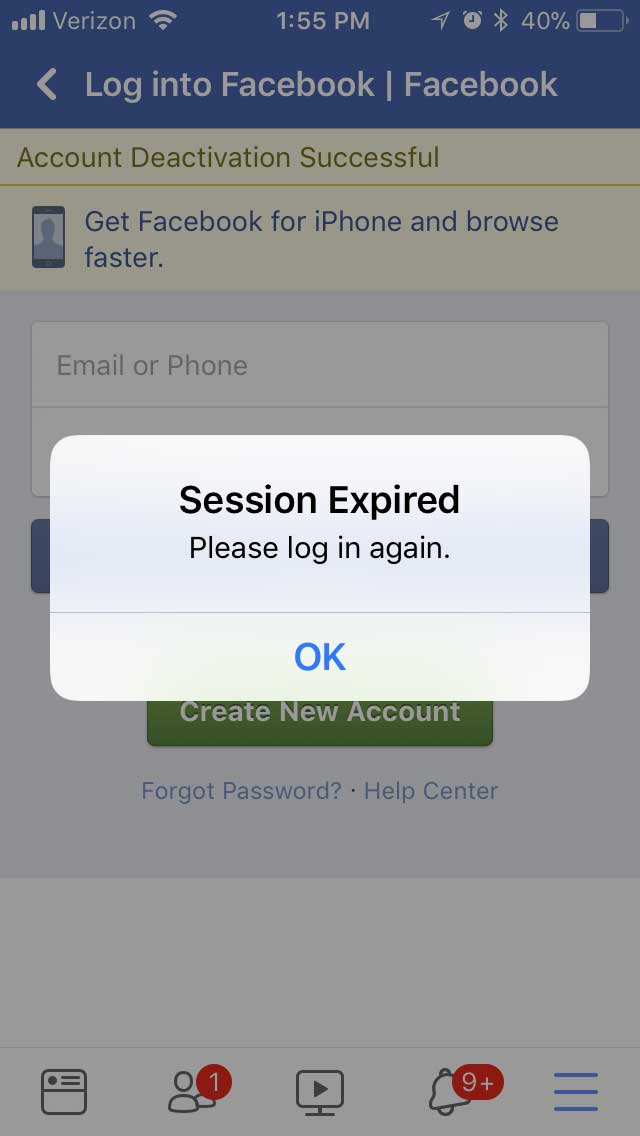
The simplest way to check if your account is temporarily deactivated is to attempt to log in. Visit the Facebook homepage and enter your login credentials. If your account is temporarily deactivated, you may see a message indicating that your account has been disabled. If not, congratulations! You’ve regained access to your account.
Step 2: Follow the Reactivation Link
If your account was deactivated due to a violation, Facebook typically provides a link that allows you to reactivate your account. Follow the instructions provided in the reactivation email or message you received from Facebook.
Submitting an Appeal
If you find that your account is permanently deactivated and believe it was a mistake, you can submit an appeal to Facebook. Here’s how:
Step 1: Access the Appeal Form
Go to the Facebook Help Center and locate the section for users who believe their account was deactivated by mistake. You’ll find an option to appeal the decision.
Step 2: Fill Out the Form
When submitting your appeal, be sure to provide as much information as possible. Include your full name, any identifying details about your account (like your email address or phone number), and a brief explanation of why you believe your account should be reactivated.
Step 3: Wait for a Response
After submitting your appeal, you’ll need to wait for Facebook to review your request. This process may take several days or even weeks, depending on the volume of appeals they receive.
Other Recovery Methods
If the formal appeal process doesn’t yield results, there are a few alternative methods you can try:
Method 1: Verify Your Identity
In some cases, Facebook may request you to verify your identity to unlock your account. Prepare to submit a form of identification, such as a driver’s license or passport. Follow the instructions provided to ensure a smooth identification process.
Method 2: Reach Out to Friends
If you have trusted friends on Facebook, you may be able to ask them for help. Sometimes, friends can report issues on your behalf or help confirm your identity to Facebook.
Method 3: Connect via Other Channels
You can also try reaching out to Facebook through their other social media channels, like Twitter. Often, being vocal publicly may expedite your account recovery process.
Preventing Future Deactivation
Once you’ve successfully regained access to your Facebook account, it’s crucial to take steps to prevent future deactivation. Here are some tips:
- Regularly review Facebook’s community standards to ensure your posts and interactions comply.
- Enable two-factor authentication to enhance your account security.
- Be cautious when adding friends—avoid connecting with suspicious profiles.
- Engage positively with others while preventing any actions that could lead to reports against you.
Conclusion
Having your Facebook account deactivated can be a frustrating experience, but with the right approach, you can significantly increase your chances of reactivation. Remember to stay calm, follow the steps outlined above, and take preventive measures to avoid future issues. If you need further assistance, be sure to visit the Facebook Account Deactivated: How to Regain Access? https://crazyfb.shop/en/page/akkaunt-facebook-deaktivirovan-kak-vosstanovit-dostup for more resources on recovering your account.